NTC33 Download: Slot App, Live App or Windows, Which One You Need
Newtown Casino splits its Android app in two: slots in one, live dealer games in the other. Pick the right file, then install it safely.

The first decision with NTC33 is not how to install it but which file to get. Newtown Casino splits its Android app in two, one for slots and one for live games, and it also has a Windows version. Old download links from 2018 no longer work, so start with a fresh link.
Slot app or live app: choosing your NTC33 file
- Android (Slot): the Playtech slot catalogue. Most players only need this one.
- Android (Live): the live dealer games, streamed to your phone. Uses more data and battery than slots.
- Windows: a desktop client for playing on a PC.
If you play both slots and live tables, install both Android apps. Get the NTC33 download link for the version you want.
Installing the NTC33 APK on Android
NTC33 is not on Google Play, so Android treats it as an unknown app.
- Download the APK through your browser.
- Tap the file. When Android blocks it, open the prompt's Settings link and allow installs from that browser.
- Install, then turn that permission back off.
Repeat for the second APK if you want both. Each installs as a separate app with its own icon.
Check the permissions each app asks for. A casino app has no business reading your SMS or contacts, and an APK that asks for them is not the real thing.
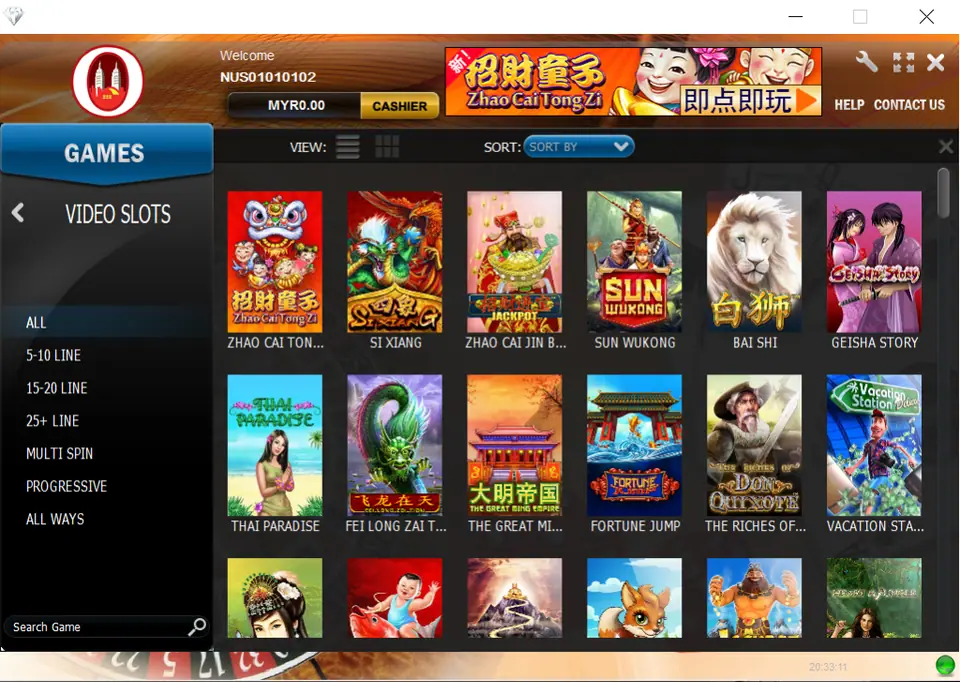
NTC33 on a Windows computer
Run the installer you downloaded. Windows may show a blue "Windows protected your PC" screen, because the file is not from a well-known publisher. Only choose More info and then Run anyway if the file came from your operator or a source you trust. Scan it with your antivirus first if you are unsure.
NTC33 has also offered a play-online option, so if you would rather not install anything on your PC, ask whether a browser login is available.
After the first NTC33 login
Use the ID and password from your operator. If you installed both apps, check that your ID works in each, and ask your operator if it does not. Then set a budget before your first real session, and read about individual titles in our NTC33 game reviews.
Common questions
What is the difference between the NTC33 slot and live apps?
The slot app carries NTC33's slot games, and the live app carries its live dealer games. Install the one that matches what you play, or both.
Can I play NTC33 on a computer?
Yes. NTC33 offers a Windows version, and it has also offered a play-online option in the browser.