ACE333 App Install Guide: iOS Trust Step, Android APK and Windows
ACE333 runs outside the app stores on all three systems it supports. This guide walks through each install and the one iPhone setting most people miss.

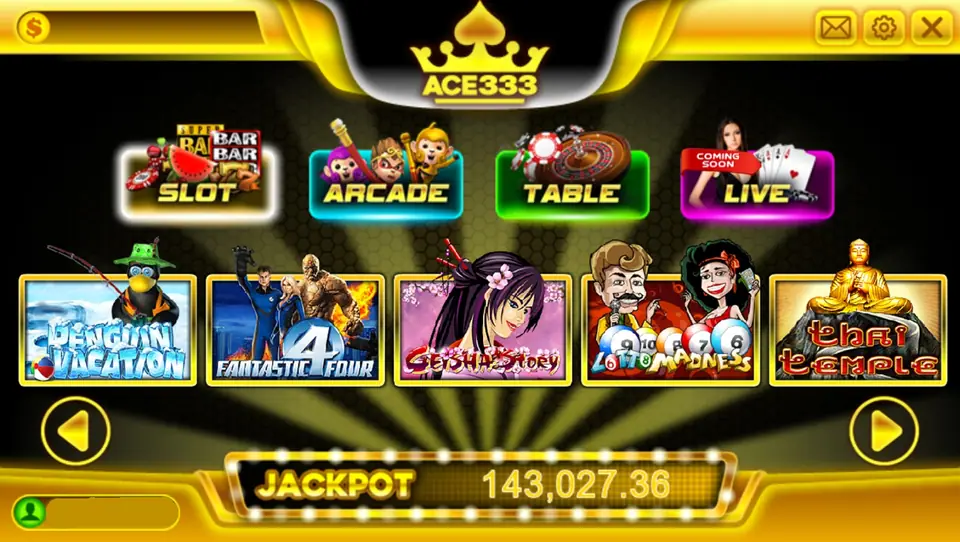
ACE333 is a slot and casino-game platform used across Malaysia, and you reach it through its own app rather than a website. It comes in three versions: iOS, Android APK and Windows. Old file links no longer work, so get a current one. What follows is the install process for each, since none of them come from the App Store or Google Play.
Whichever device you use, get the ACE333 download link from the platform's official channel or your registered agent first.
ACE333 on iPhone and iPad
The iOS version installs from a web link and is signed with an enterprise certificate. It will download, but tapping the icon gives an "Untrusted Enterprise Developer" message. To fix that:
- Open Settings > General > VPN & Device Management (on older iOS this is called Profiles or Device Management).
- Tap the developer profile that matches the ACE333 app.
- Tap Trust and confirm.
Only trust a profile that came from the link you intended to use. If an unfamiliar profile appears, or a page asks you to install a configuration profile that controls VPN or mail settings, cancel and remove it.
ACE333 APK for Android phones
Android needs permission to install an app from outside Google Play. Download the APK, and when prompted, allow your browser or file manager to install unknown apps. Then open the file and install.
Copycat APKs circulate in chat groups, often with names close to the real thing. A genuine game app has no reason to read your SMS or contacts, so refuse those permissions and uninstall anything that asks.
Windows PC version and account safety
The Windows client installs like any other program. Windows may flag it as unrecognised; run it only if you downloaded it from your trusted link.
Once installed, log in with the ID your agent issued and change the password straight away. Keep the password off shared devices. Decide on a session budget before you play, because slot outcomes are random and the house holds the advantage over time. You can browse ACE333 game reviews to see what is on the platform before you commit money.
Common questions
Why does ACE333 say "Untrusted Enterprise Developer" on my iPhone?
The app is signed with an enterprise profile rather than distributed through the App Store. You need to trust that profile in Settings before the app will open.
Can I use the same ACE333 account on my phone and PC?
Yes, the login your agent gives you works on the iOS, Android and Windows versions.